Stop parsing JSON. Start triaging findings.
Kekkai wraps Trivy, Semgrep, and Gitleaks into one workflow: a unified report, an interactive terminal UI for review, and CI thresholds that fail on severity — not on noise.
Quick install
Also available via Homebrew, Scoop, pip, and Docker. All install methods
What it does
Scan
Run Trivy, Semgrep, and Gitleaks via Docker in a single command
Normalize
Outputs are merged into a single kekkai-report.json
Triage
Review findings in an interactive TUI, mark false positives
Enforce
Fail CI on severity thresholds with structured exit codes
Kekkai does not replace scanners or introduce proprietary detection logic. It sits on top of existing tools and focuses on workflow and operator experience.
Scanners
Each scanner runs in an isolated Docker container: read-only filesystem, no network egress, 2 GB memory limit.
Trivy
Dependency CVEs
Container images, OS packages, and language-specific lockfiles
ghcr.io/aquasecurity/trivy:0.69.3
Semgrep
Code vulnerabilities
SAST patterns across Python, Go, JS, Java, and more
semgrep/semgrep:latest
Gitleaks
Hardcoded secrets
API keys, credentials, and tokens in source and history
zricethezav/gitleaks:latest
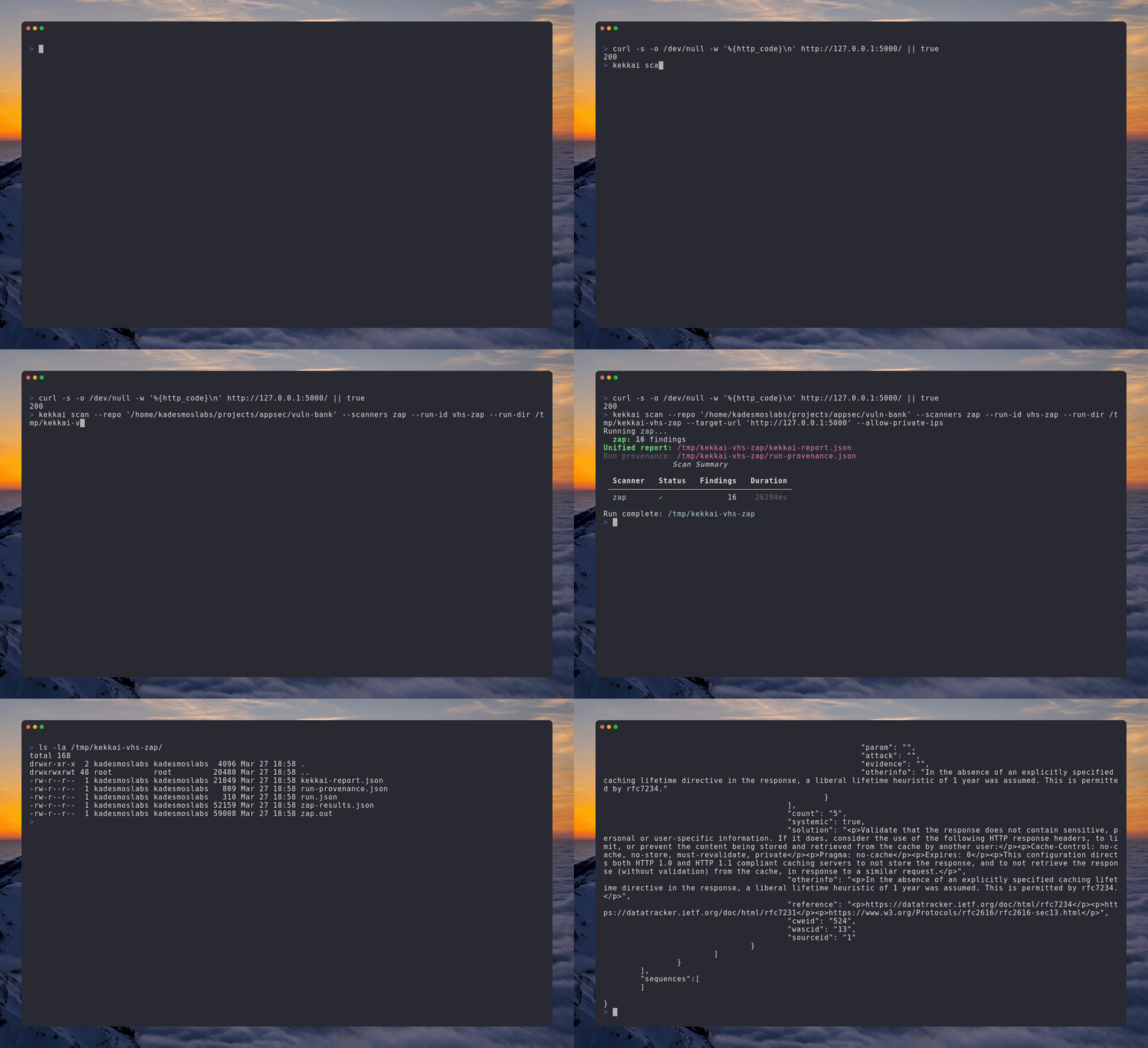
Optional: DAST with OWASP ZAP
Point Kekkai at a running HTTP service for a baseline ZAP scan. Linux host targets are rewritten automatically so the scanner container can reach your application.
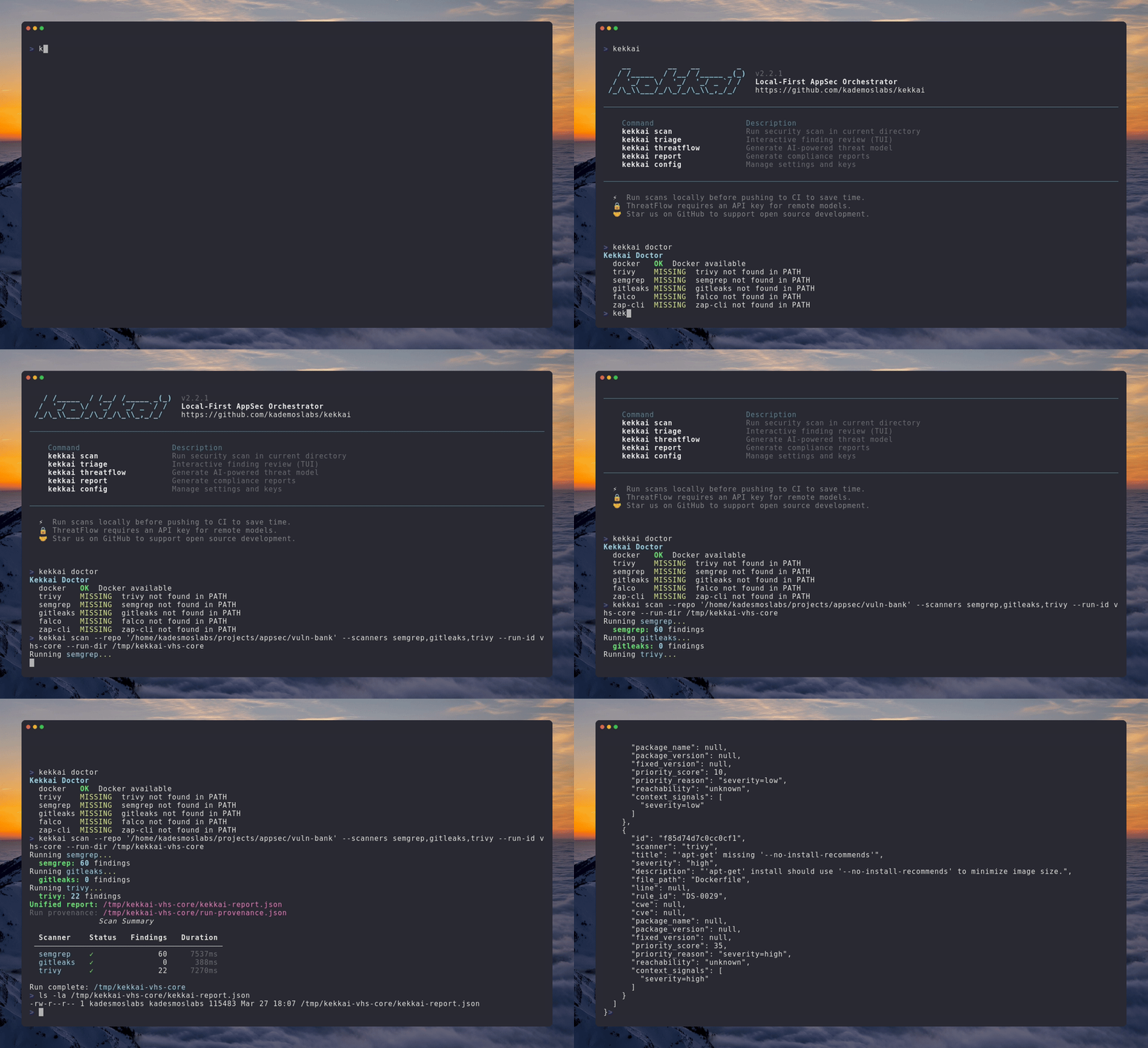
Doctor check and core SAST/SCA scan
Verify tooling with kekkai doctor, run a single kekkai scan using Semgrep, Gitleaks, and Trivy in Docker, and inspect the unified kekkai-report.json on disk.
Triage
Interactive terminal UI for reviewing findings
Stop reading raw JSON. Use keyboard navigation to review each finding in context, mark false positives, and generate a .kekkaiignore file that persists decisions across runs.
Keyboard controls
Triage states
Not yet reviewed — default for all new findings
Valid security issue requiring remediation
Not a real issue — added to .kekkaiignore
Valid but postponed — tracked for later review
CI/CD
Pipeline integration in one command
Generate a ready-to-use GitHub Actions workflow with kekkai init --ci, or wire the scan step manually. Exit codes are structured so your pipeline can distinguish scan errors from policy violations.
GitHub Actions
Exit codes
Pre-commit hook
Optional DAST with OWASP ZAP
Point Kekkai at a running HTTP service for a baseline ZAP scan. Host targets are rewritten automatically so the scanner container can reach your application.
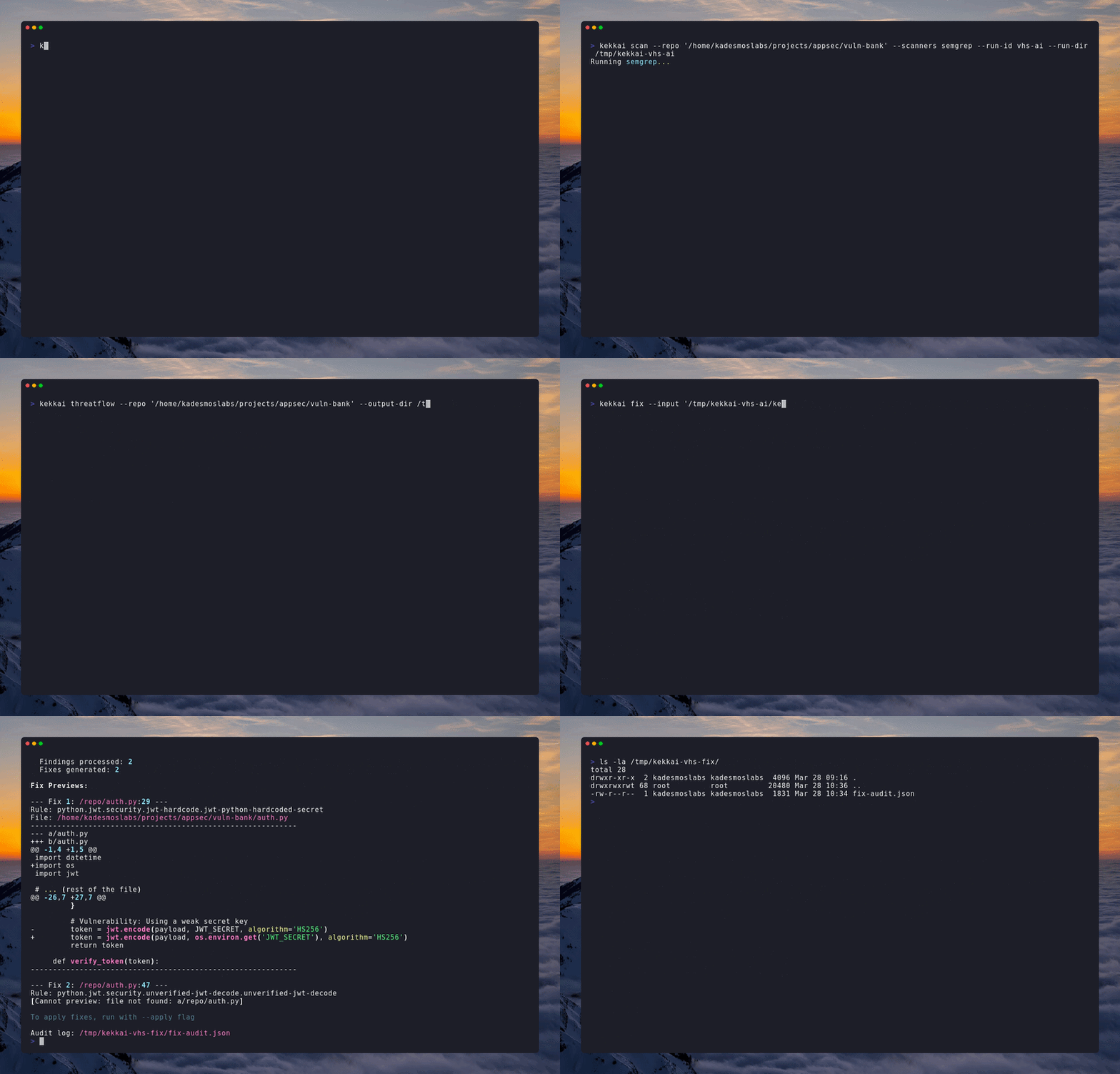
ThreatFlow
Local-first AI threat modeling
Generate STRIDE-aligned threat models from your codebase using a model that runs on your machine. No API keys required when using Ollama. Code leaves your machine only when you explicitly configure a remote provider.
With Ollama (recommended)
Output artifacts
THREATS.mdIdentified threats with STRIDE categorizationDATAFLOWS.mdData flow diagram descriptionASSUMPTIONS.mdAnalysis assumptions and limitationsthreat-model.jsonMachine-readable threat modelAlso supports OpenAI, Anthropic, and Gemini if your policy permits sending code to external APIs.
DefectDojo
Local vulnerability management dashboard
Spin up a full DefectDojo instance locally when you need a structured vulnerability management workflow. No hosted service required.
What you get
- DefectDojo web UI at localhost:8085 (configurable)
- Automatic credential generation
- Pre-configured for Kekkai imports
- Full Docker Compose stack management
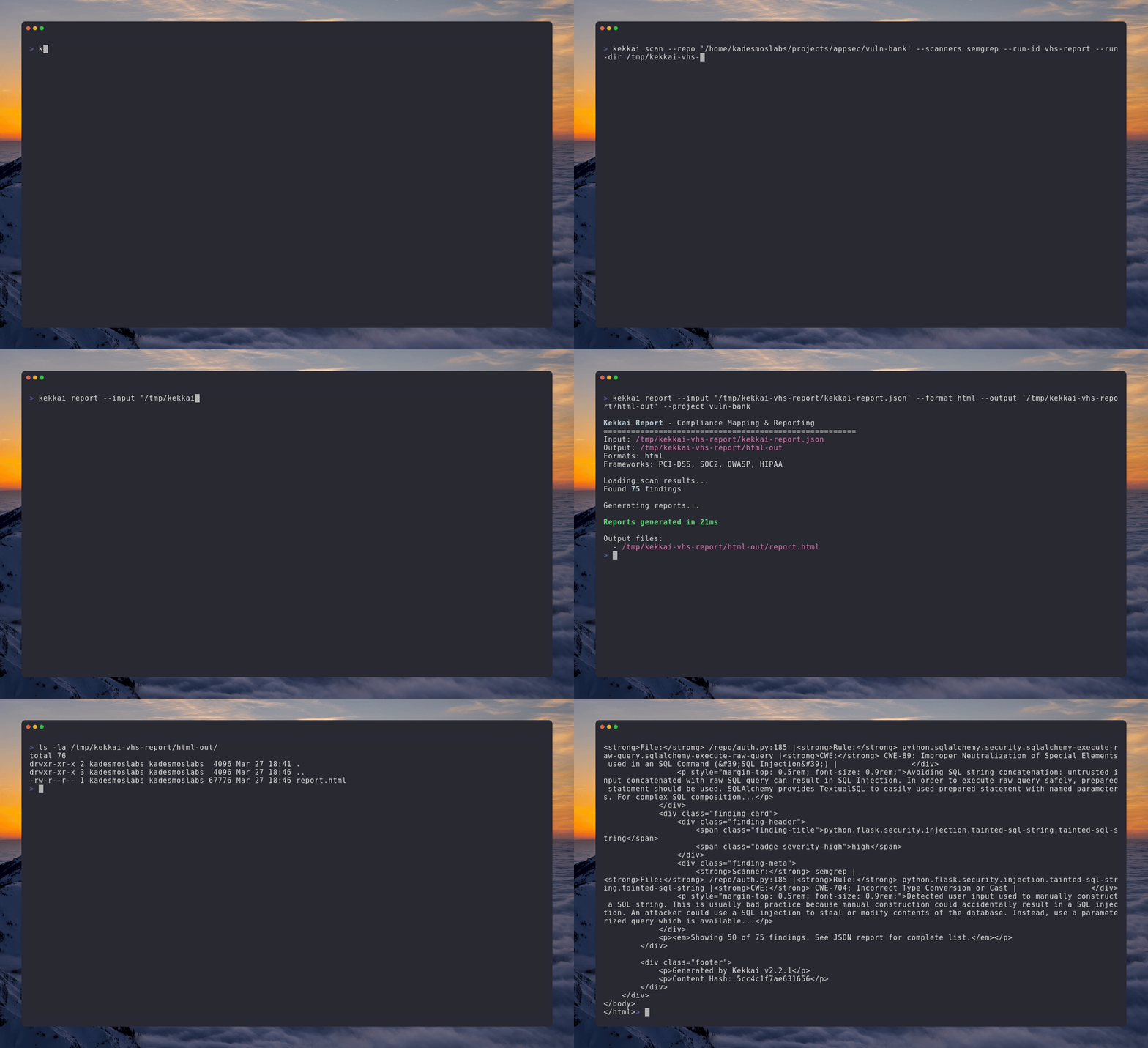
Reporting and compliance artifacts
Generate HTML, PDF, and compliance-mapped reports from unified findings for audits, stakeholder handoffs, and framework evidence (PCI-DSS, OWASP, HIPAA, SOC 2).
Why teams adopt Kekkai
Unified findings
Normalize Semgrep, Gitleaks, and Trivy into a single kekkai-report.json instead of juggling three different output formats.
Interactive triage
Keyboard-driven TUI to review findings, mark false positives, and persist decisions with .kekkaiignore.
Docker-isolated scanners
Upstream scanner images run with read-only mounts, memory limits, and no network egress where appropriate.
CI-ready policies
kekkai scan --ci with --fail-on thresholds so pipelines fail predictably on severity, not on noise.
No proprietary rules engine
Kekkai orchestrates industry-standard tools. It does not replace their detection logic or introduce new rules.
Optional integrations
DefectDojo import, GitHub PR comments, compliance reporting, and opt-in AI workflows when your policy permits.
Security design
Container isolation
Scanners run in hardened Docker containers with read-only root filesystems
No network egress
Containers cannot reach external networks — scans are fully air-gapped by default
Local-first AI
ThreatFlow runs entirely on your machine with Ollama. Remote providers are opt-in only
SLSA Level 3
Release artifacts include provenance attestations and Docker images are Cosign-signed
For vulnerability reports, see our security policy or email security@kademos.org.
Evaluate in your own environment
Install with pipx, run against a test repository, and wire kekkai scan --ci into your pipeline when you are ready.